



 EchoAPI for VS Code

 EchoAPI for IntelliJ IDEA

 EchoAPl-Interceptor

 EchoAPl CLI
 EchoAPI Client
 API Design
 API Debug
 API Documentation
 Mock Server


Discover APIs Faster with Real Semantic Search — No Exact Keywords Needed
Semantic search is redefining how developers discover APIs by understanding intent instead of relying on exact keywords. This shift dramatically cuts search time and reduces the friction caused by inconsistent naming and large-scale API ecosystems.


In any large-scale project — especially one with multiple teams — the API surface can easily grow into the hundreds or thousands. Whether you're debugging an endpoint, writing test cases, or onboarding someone new, finding the right API becomes a routine task.
But in practice, it’s rarely as simple as typing a keyword and getting the answer you want.

1. The Pain We All Know:
When All You Remember Is “Something Money-Related”
Imagine a project that’s accumulated over a thousand endpoints — and naming conventions have evolved over the years.
You’re asked to update a “fund settlement”–related feature.
You vaguely remember something like “payment,” “account,” or maybe “balance”… but the actual URL? No idea.
So what do you do?
- Open Postman and start searching manually
- Try a few keywords:
pay,money,account - Scroll, click, backtrack, repeat
- Eventually discover the endpoint was actually
/wallet/recharge/apply— a name that doesn’t match what you had in mind at all
This happens constantly, especially when:
- API count is large
- Naming conventions vary over time or across teams
- New members don't know the legacy structure
- Business modules are complex or fuzzy
The result?
Slow searching, high collaboration cost, and a lot of repeated work.

2. The Limits of Traditional Keyword Search
Whether you’re using Postman, Swagger UI, or even a Word doc, most API search systems still rely on plain keyword matching.
It’s fine for small projects, but in real-world engineering environments it breaks down fast:
- Heavy keyword dependency
If you don’t type the exact word, the system finds nothing.
E.g., endpoint/recharge/applywon’t appear when you search “payment” or “deposit.” - Zero semantic understanding
“withdraw” and “cash out” mean the same thing — but keyword search can’t tell. - High barrier for newcomers
New teammates have no mental map of naming conventions. - Low precision
Fuzzy search often returns a flood of barely related results.
In other words, in a keyword-driven world,
humans must adapt to how machines think — not the other way around.
3. Enter Semantic Search:
From “Exact Match” to “Understands What You Mean”
EchoAPI’s new AI Search feature solves this problem at its core.
Instead of relying on keywords, it supports natural language queries — meaning it actually understands what you’re asking for.
You can type things like:
- “APIs related to user login”
- “SMS verification endpoint”
- “Interfaces involved in order refunds”
EchoAPI intelligently analyzes endpoint descriptions, definitions, comments, groupings, and more — then returns the closest semantic matches.
Which means:
- Searching “login verification” still finds
/auth/token/verify - You can search based on business scenarios, not exact names
- You’re no longer dependent on naming conventions
4. Real-World Scenarios Where This Shines
1. Fuzzy lookup
When there are too many endpoints or the naming is inconsistent, natural language just works.
Example: “Find the APIs related to fund settlement.”
2. Onboarding new engineers
New hires don’t know the naming rules — semantic queries let them find what they need instantly.
Example: “I’m implementing user signup. Where's the SMS code endpoint?”
3. Bulk discovery
Need a whole category of endpoints for test automation or documentation organization?
Example: “Show all APIs related to push notifications.”
5. UI Preview & How It Works
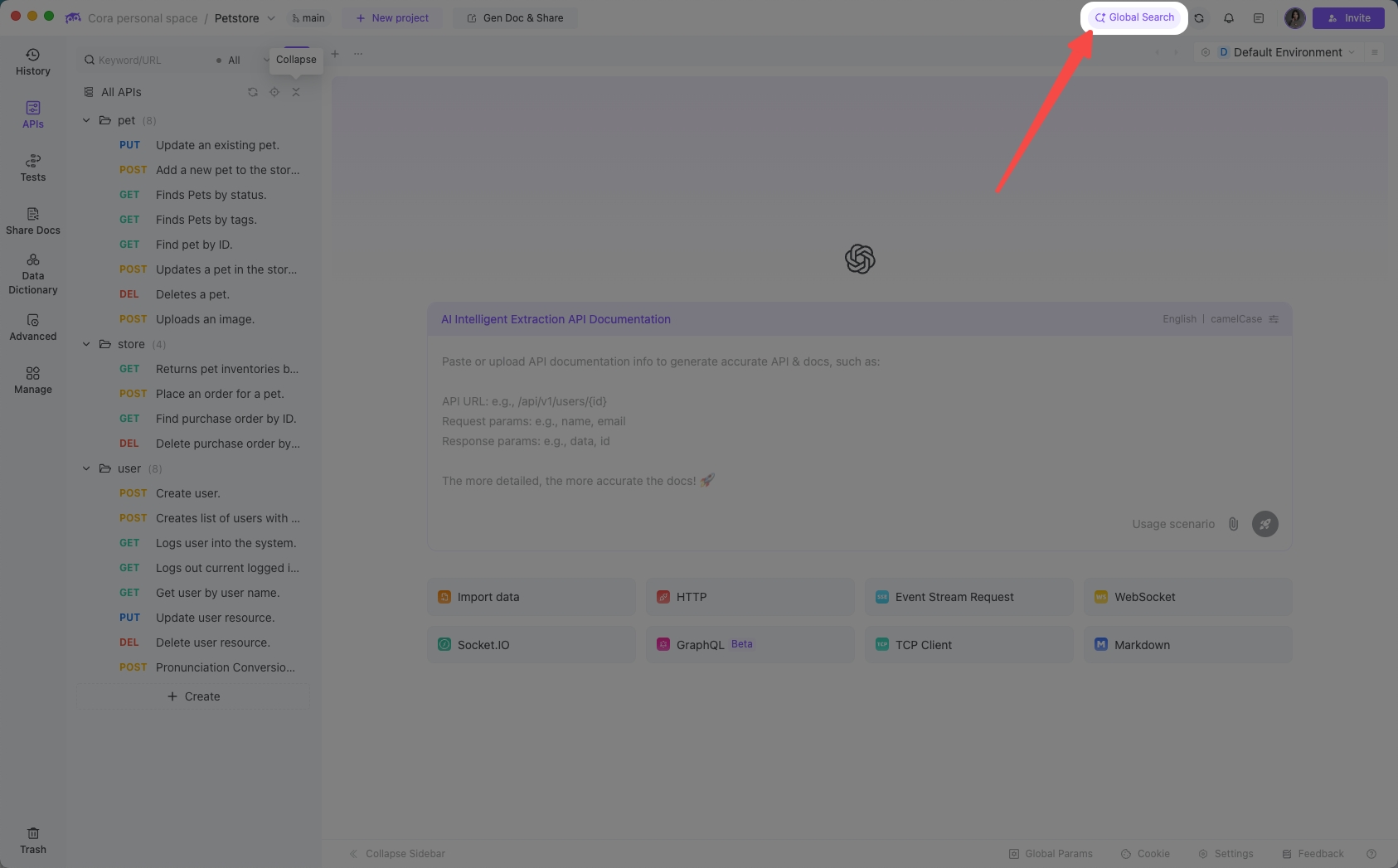
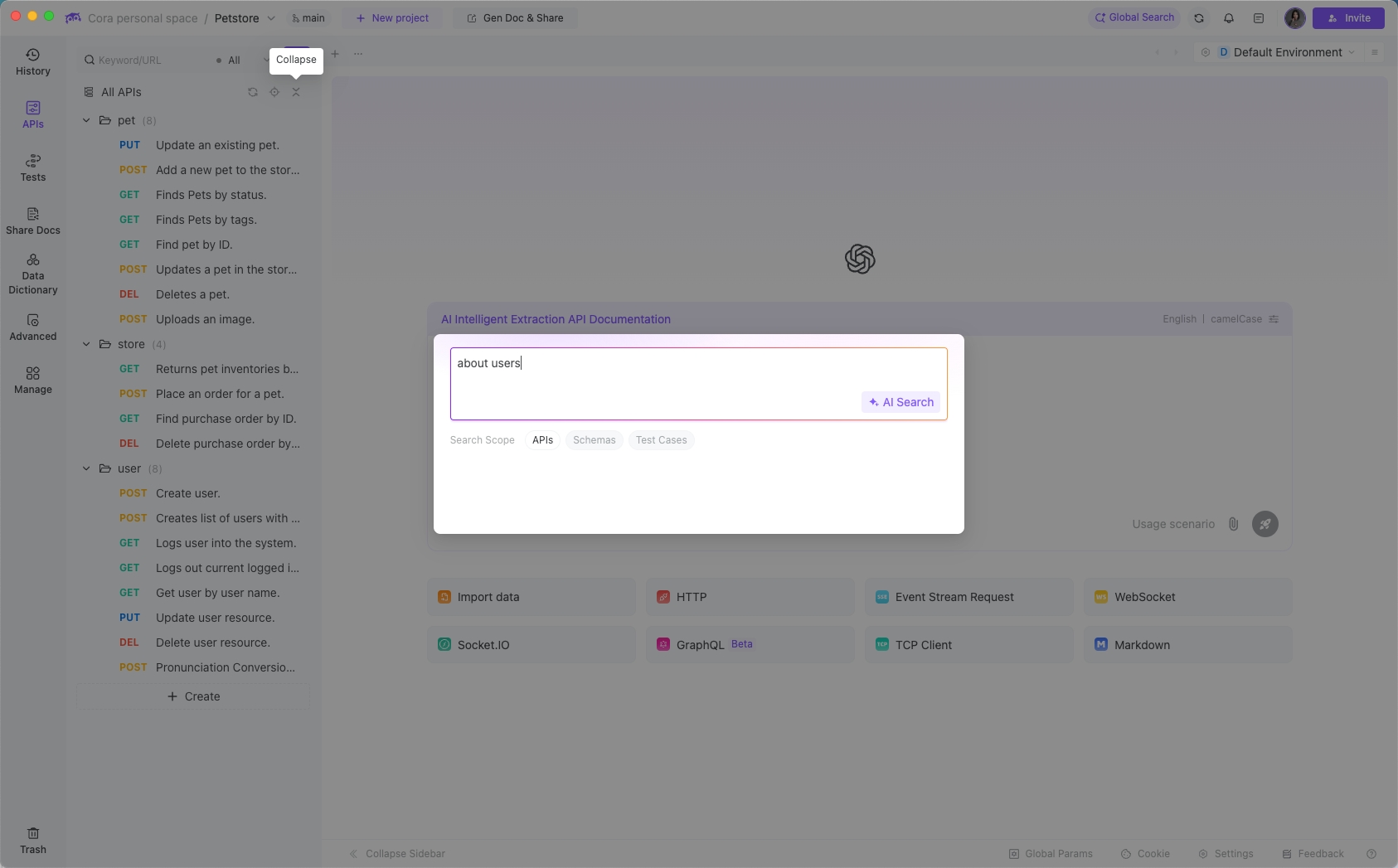
- Click the AI Search entry
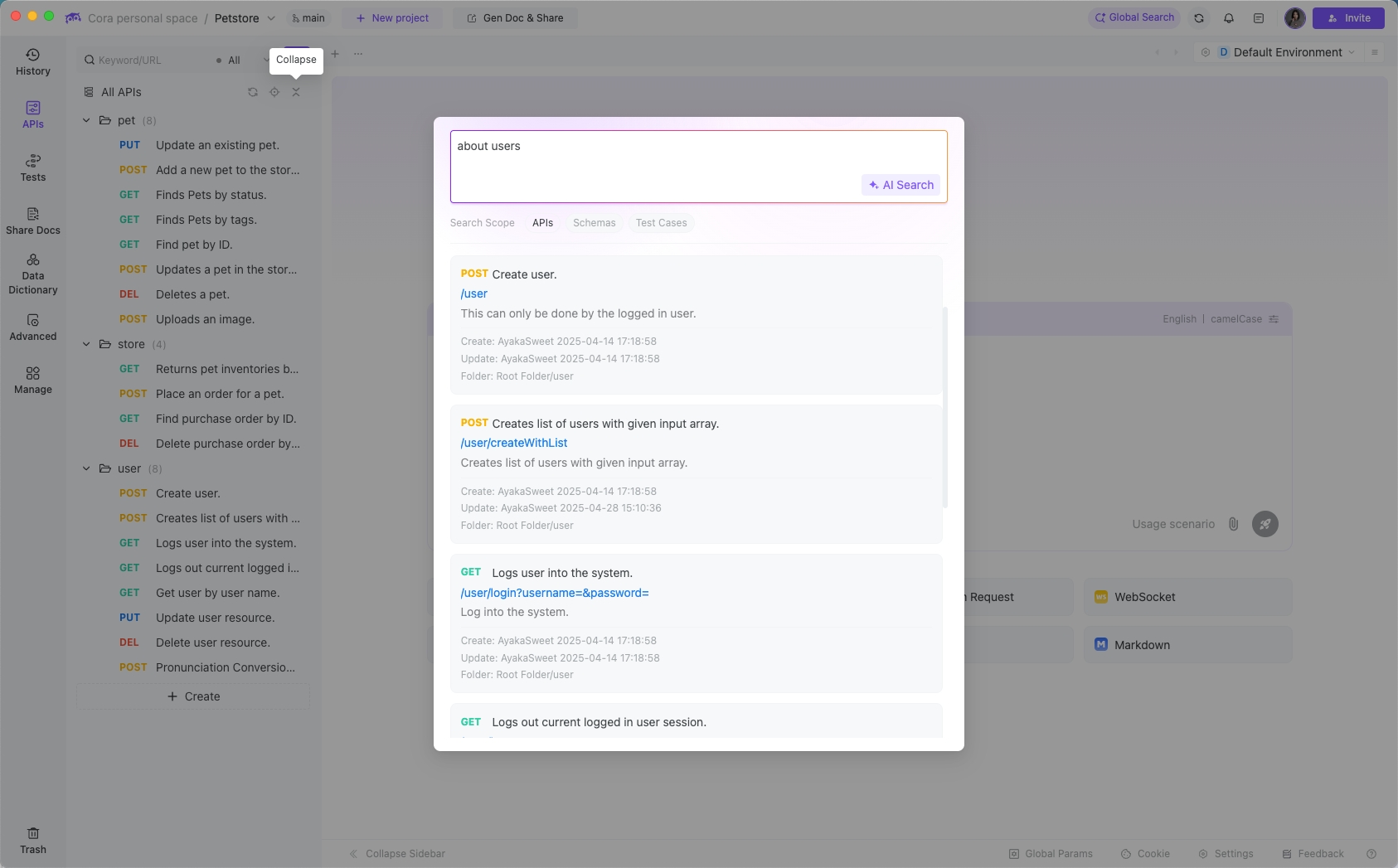
- Enter your query (e.g., “APIs related to users”)
- Review the returned list and jump directly to the matching endpoint
- EchoAPI remembers your last search for quick access later
Official UI previews:
6. Why This Actually Matters:
A Small Feature With Huge Time Savings
Developers and testers lose a surprising amount of time on things that aren’t “real development”:
searching for endpoints, checking fields, comparing definitions.
Semantic search shifts the workflow from:
memory-driven → intent-driven
And the benefits stack up quickly:
- Dramatically lower lookup cost
- Less reliance on tribal knowledge
- Better collaboration and smoother handoffs
- Much easier onboarding for new team members
7. Closing Thoughts
As API counts grow exponentially, our approach to API management has to evolve from simple “documentation” to semantic discovery.
EchoAPI’s AI Search represents exactly that shift.
It’s not flashy AI for the sake of AI — it solves one of the most common, most painful, and most time-consuming problems in day-to-day development:
Helping developers find the endpoint they need, fast.
Because in a fast-paced engineering environment, meaningful productivity gains don’t always come from writing more code —
sometimes they come from not wasting 10 minutes searching for an API.
