



 EchoAPI for VS Code

 EchoAPI for IntelliJ IDEA

 EchoAPl-Interceptor

 EchoAPl CLI
 EchoAPI Client
 API Design
 API Debug
 API Documentation
 Mock Server


A Rookie’s First API Assertion Adventure: EchoAPI vs. Postman
For first-time API testers, adding assertions presents a key hurdle. This honest comparison between Postman and EchoAPI reveals how their differing approaches—code versus visual guidance—create vastly different learning experiences for beginners.

The first time I sent an API request and it actually whooshed through successfully, I swear I felt like a full-stack engineer chosen by destiny.
I scrolled down to admire my success… only to be greeted by a wall of JSON that looked like it took personal offense at my confidence.
Bro… why are there SO MANY fields?!
How am I supposed to know if this response is good, bad, or straight-up cursed?
I just want to check if the content contains sexism, dark content, or anything I don’t want in my app.
Reading it line by line? Absolutely not. I'm not that guy.
So I dug deeper.
First Stop: EchoAPI
1. AI-generated assertions
Right after sending my request, I casually hovered my mouse over the response area—
and suddenly a button popped up:
Assertion Gen.
“Oh? What’s THIS little fella?”
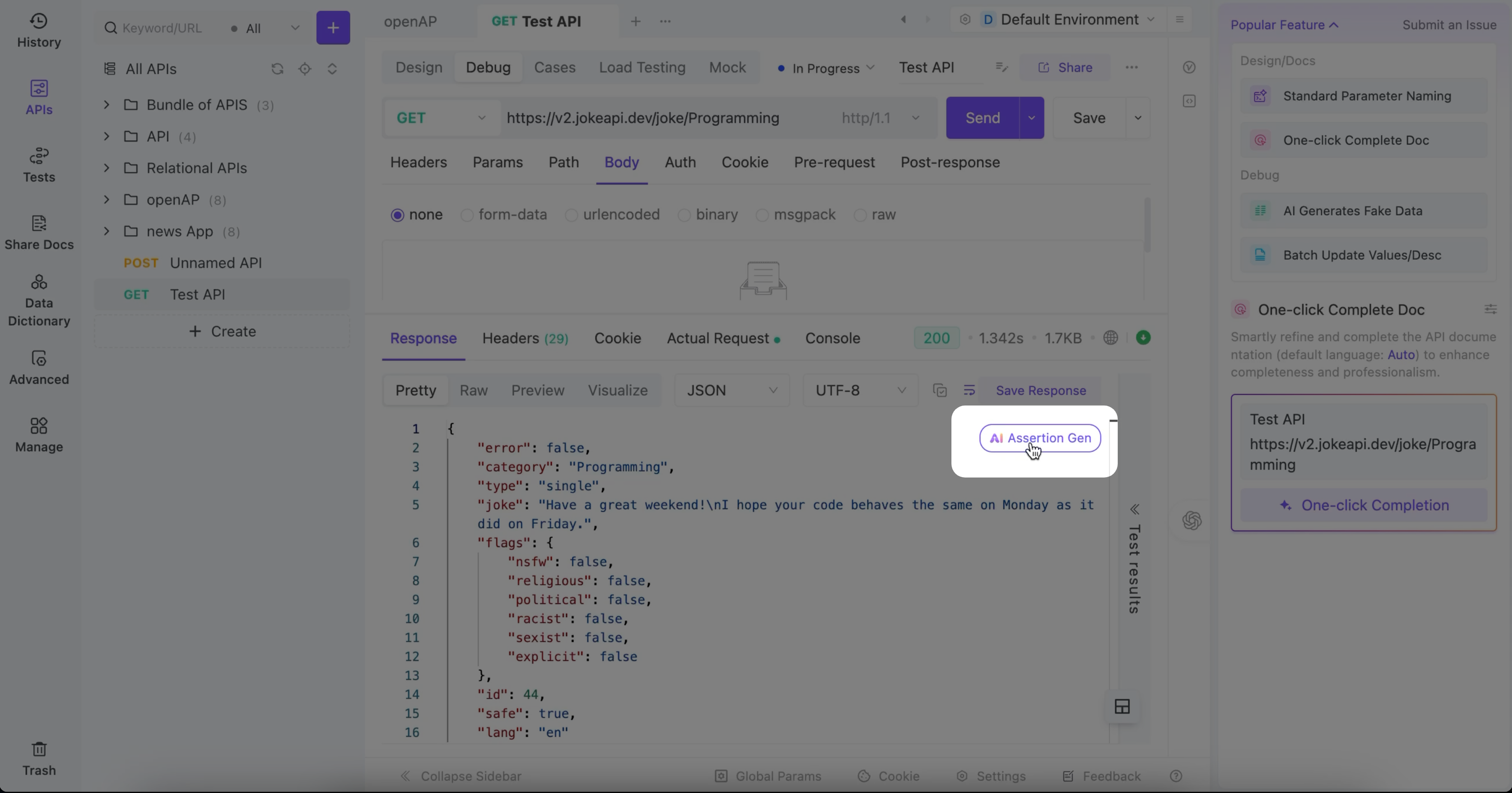
Naturally, I clicked.
The AI generated several assertions,each with an English explanation right above it.
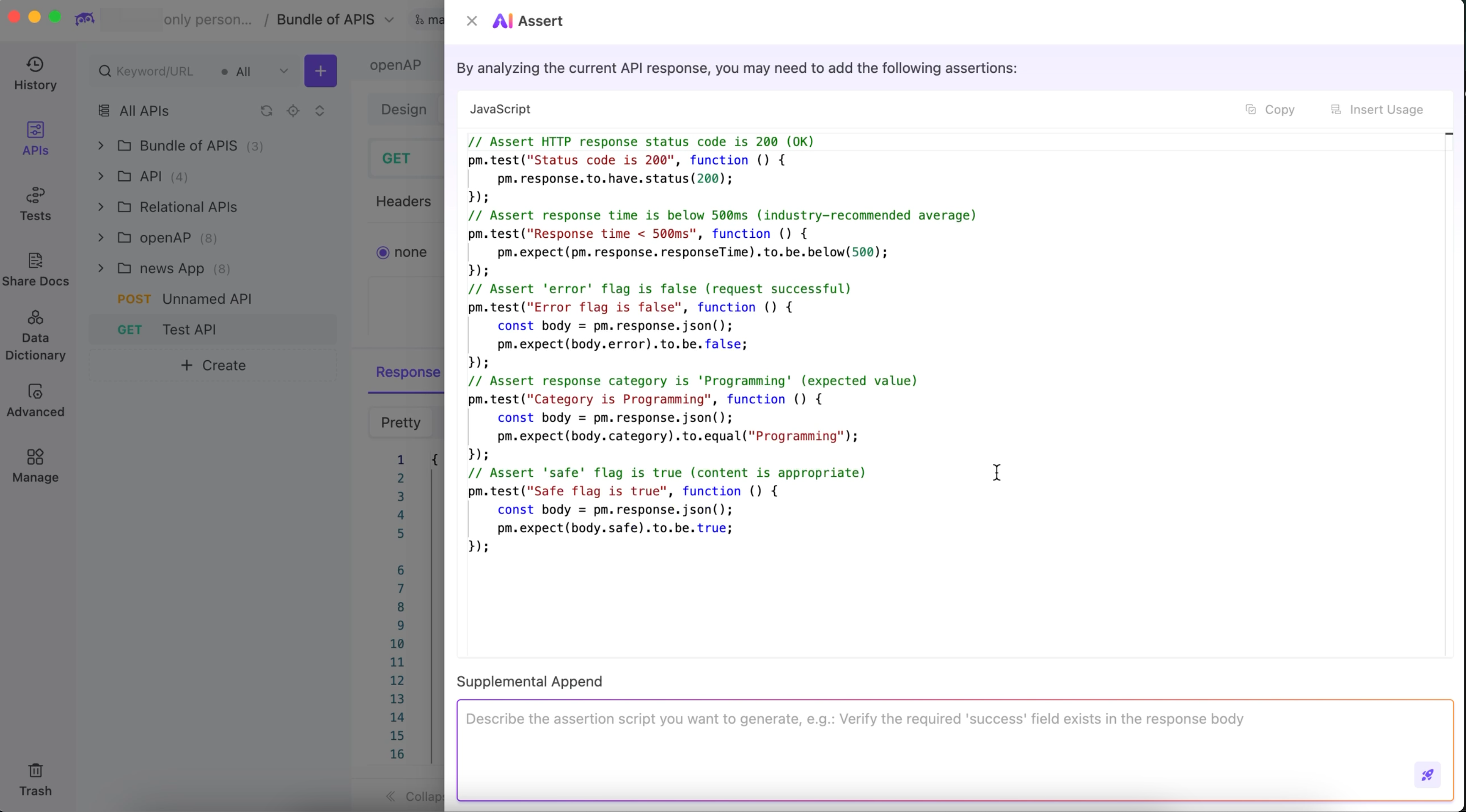
As a baby API user who barely knows what a boolean is, this felt like a warm hug.
Then something even more magical happened:
A green dot appeared under “Post-response.” I clicked it, and all the AI-generated assertions were already pasted there for me.
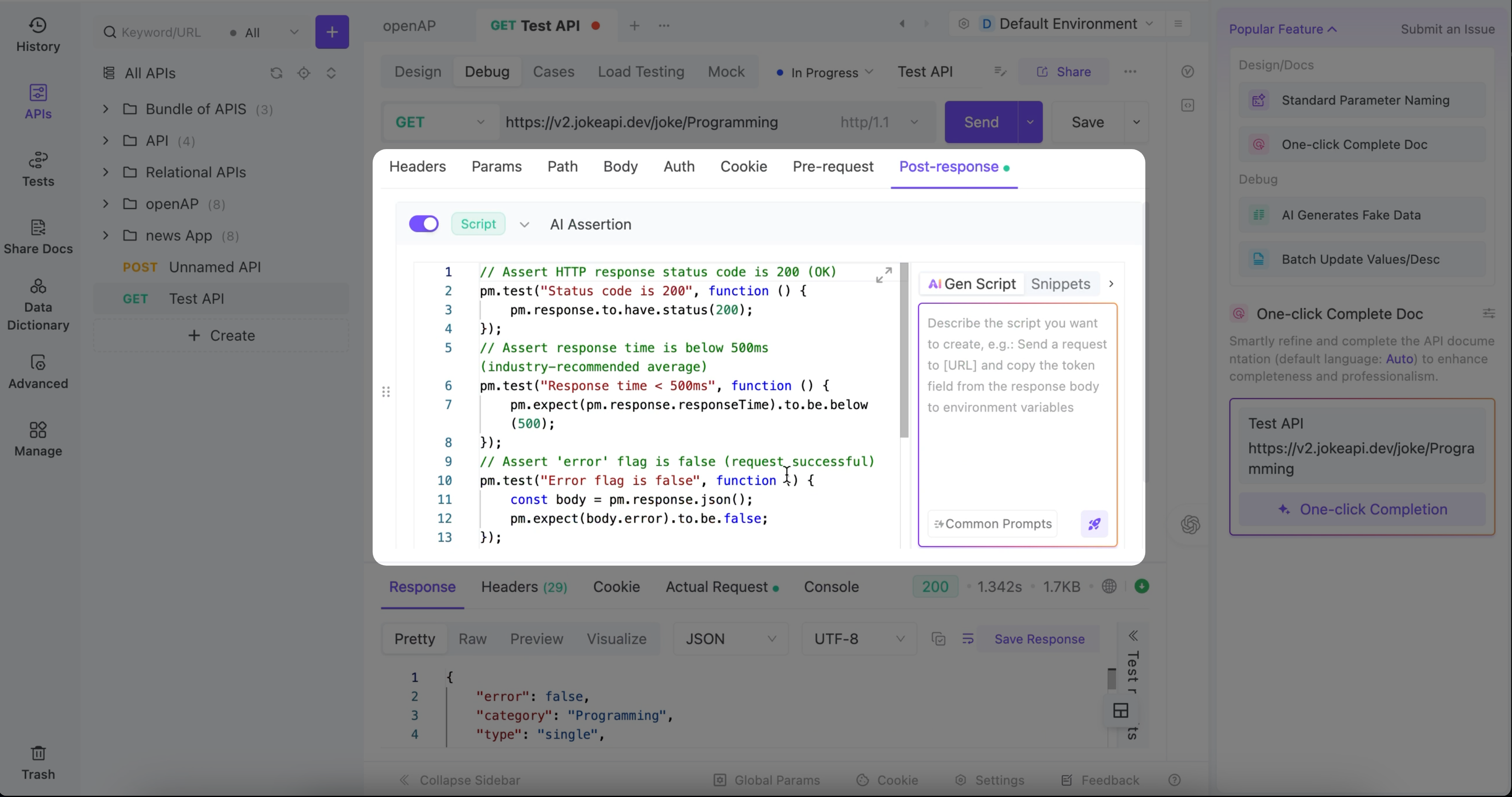
After hitting Send again, I looked back at the response section and noticed a tab called Test Result.
And there they were—my test results.
Clear. Visible. Understandable. Zero panic attack.
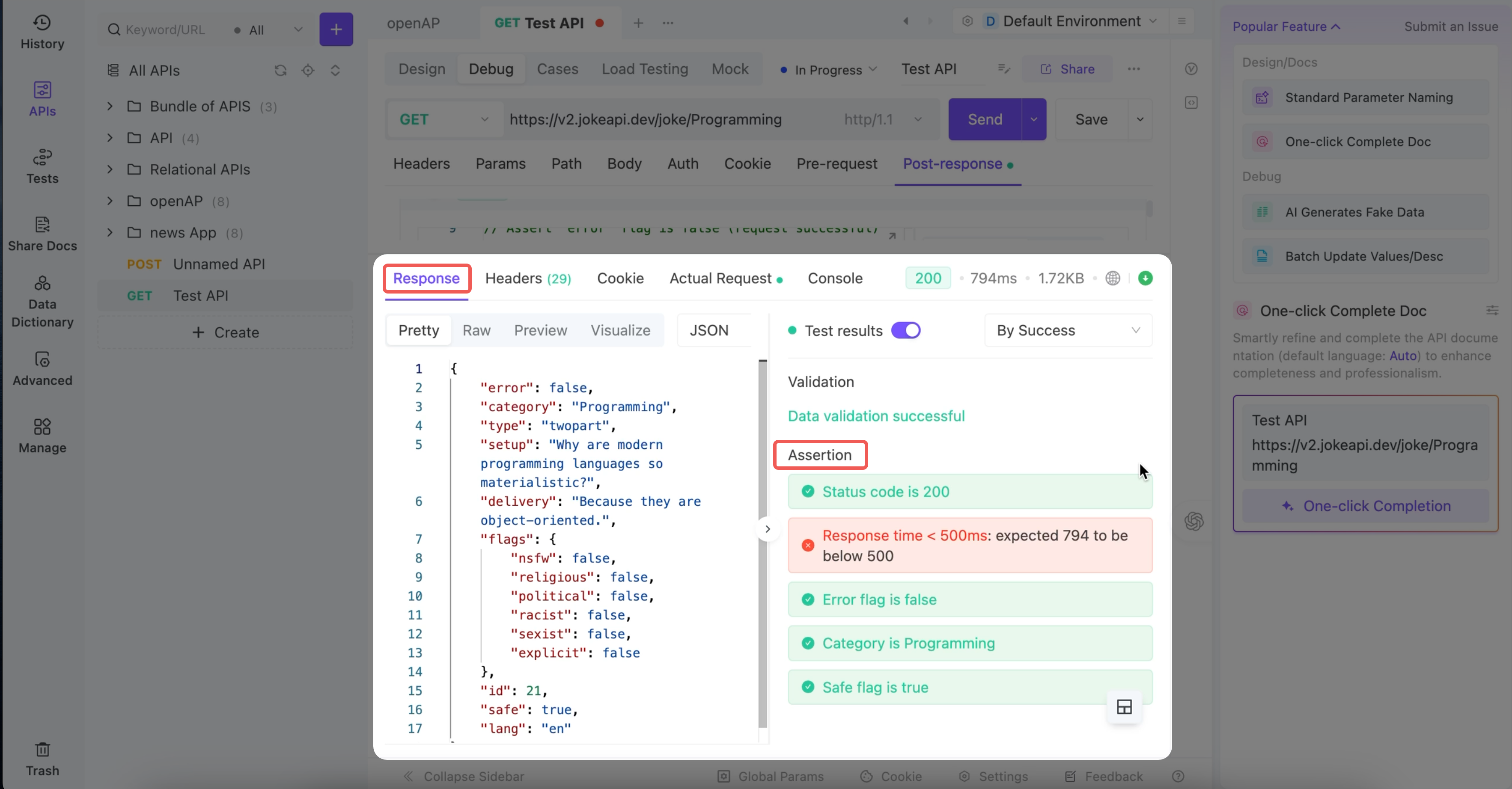
Honestly?
For someone who doesn’t write scripts, doesn’t know the syntax, doesn’t even know where to LOOK—this is huge.
EchoAPI basically said:
“Relax fam, I got you.”
And I appreciate that.
2. A true beginner-friendly feature: Visual Assertions
Once I learned that AI-generated assertions lived in “Post-response,”
I wanted to explore more. So I clicked through the dropdown… and found it:
Add Task → Assertion
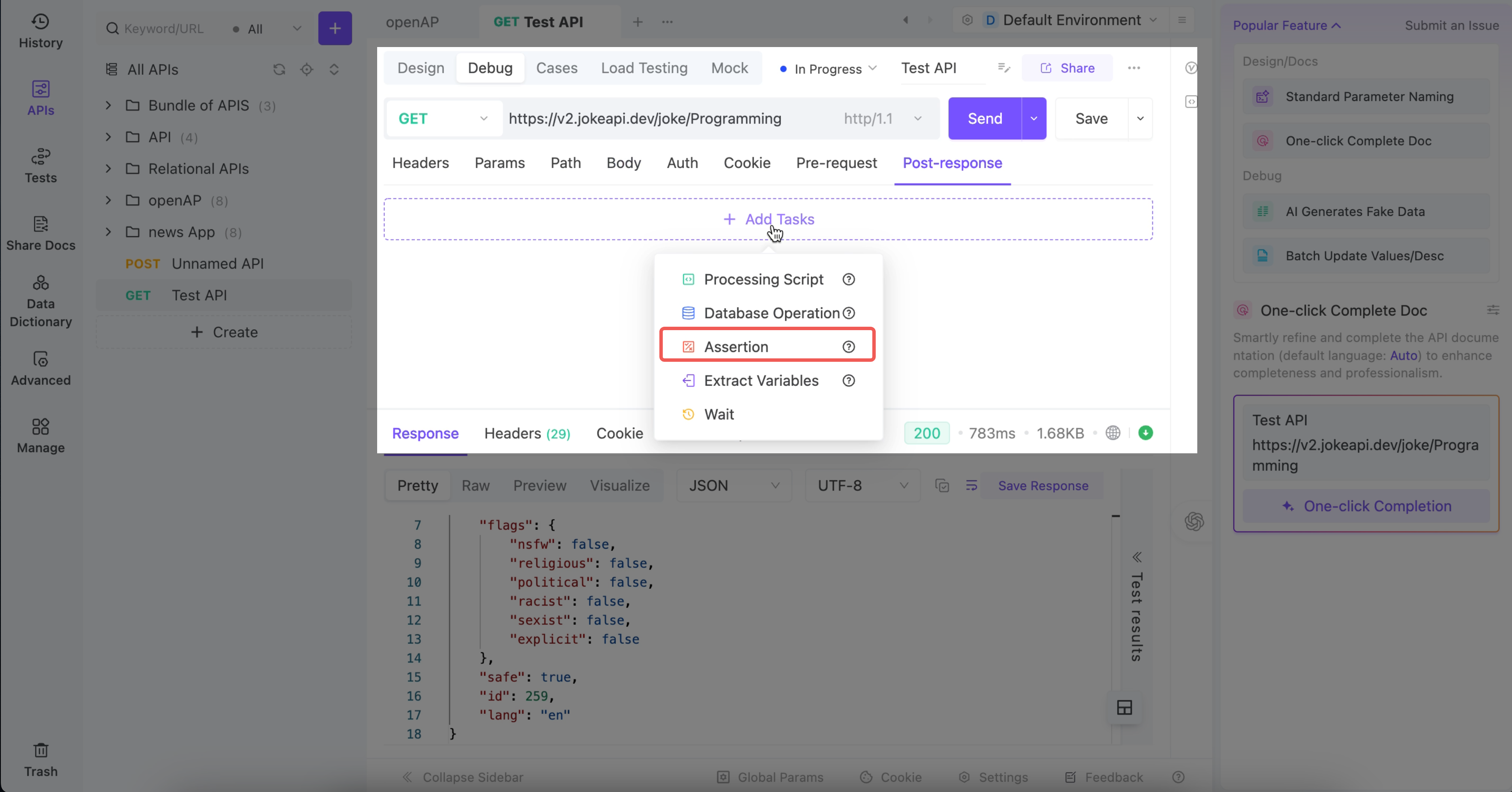
Bold. Clear. Beautiful.
Not hidden in a basement behind 17 tooltips and a ritual sacrifice.
When I clicked Assertion, a simple “expression” box appeared.
And underneath it:
- all the fields from my API response
- comparison options
- expected values
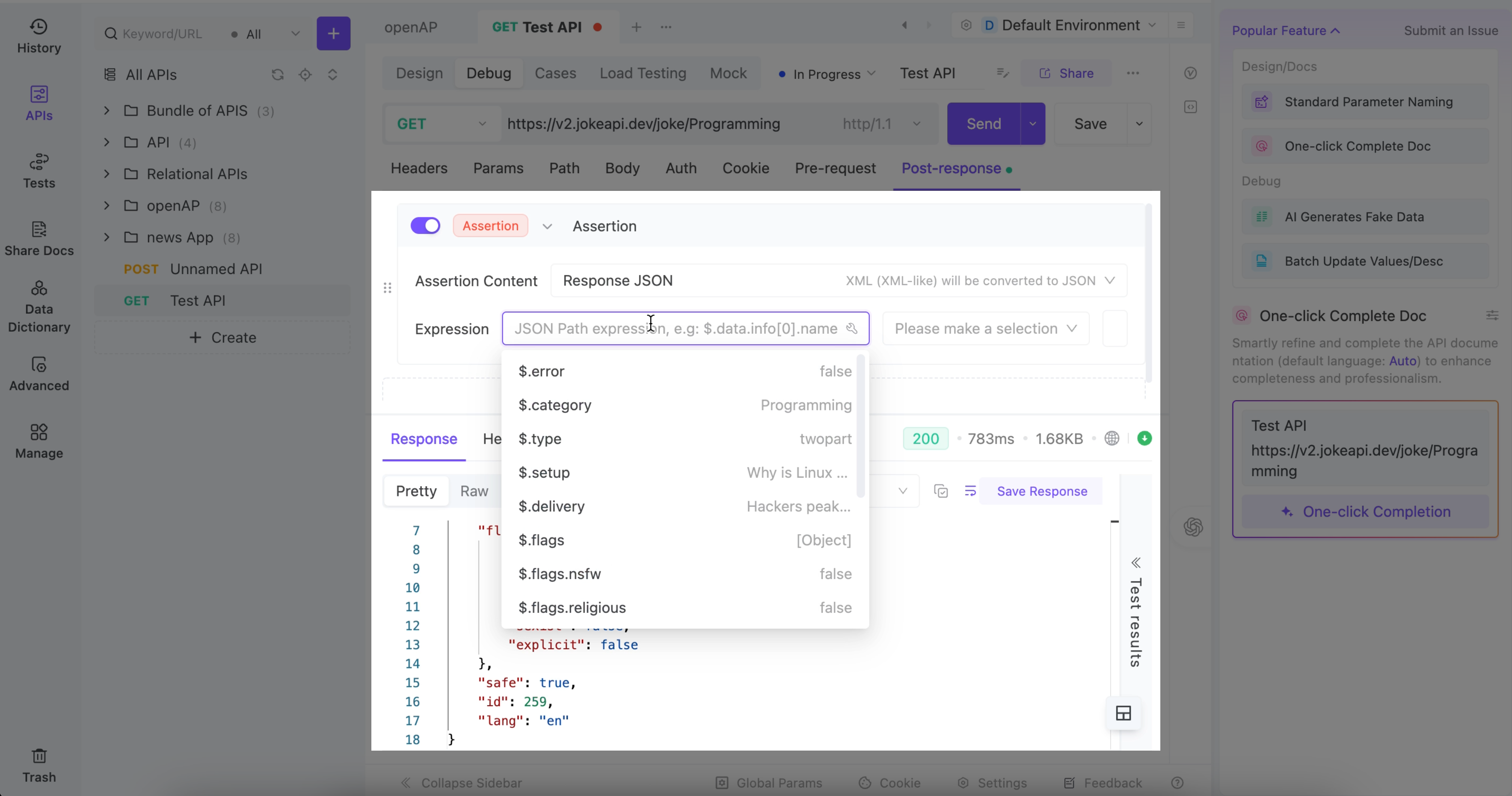
It clicked in my brain IMMEDIATELY.
“Ohhh… everything here matches the actual JSON I got.
I don’t need to infer anything. It’s literally right there.”
I picked error, set it to eq, and typed in false.
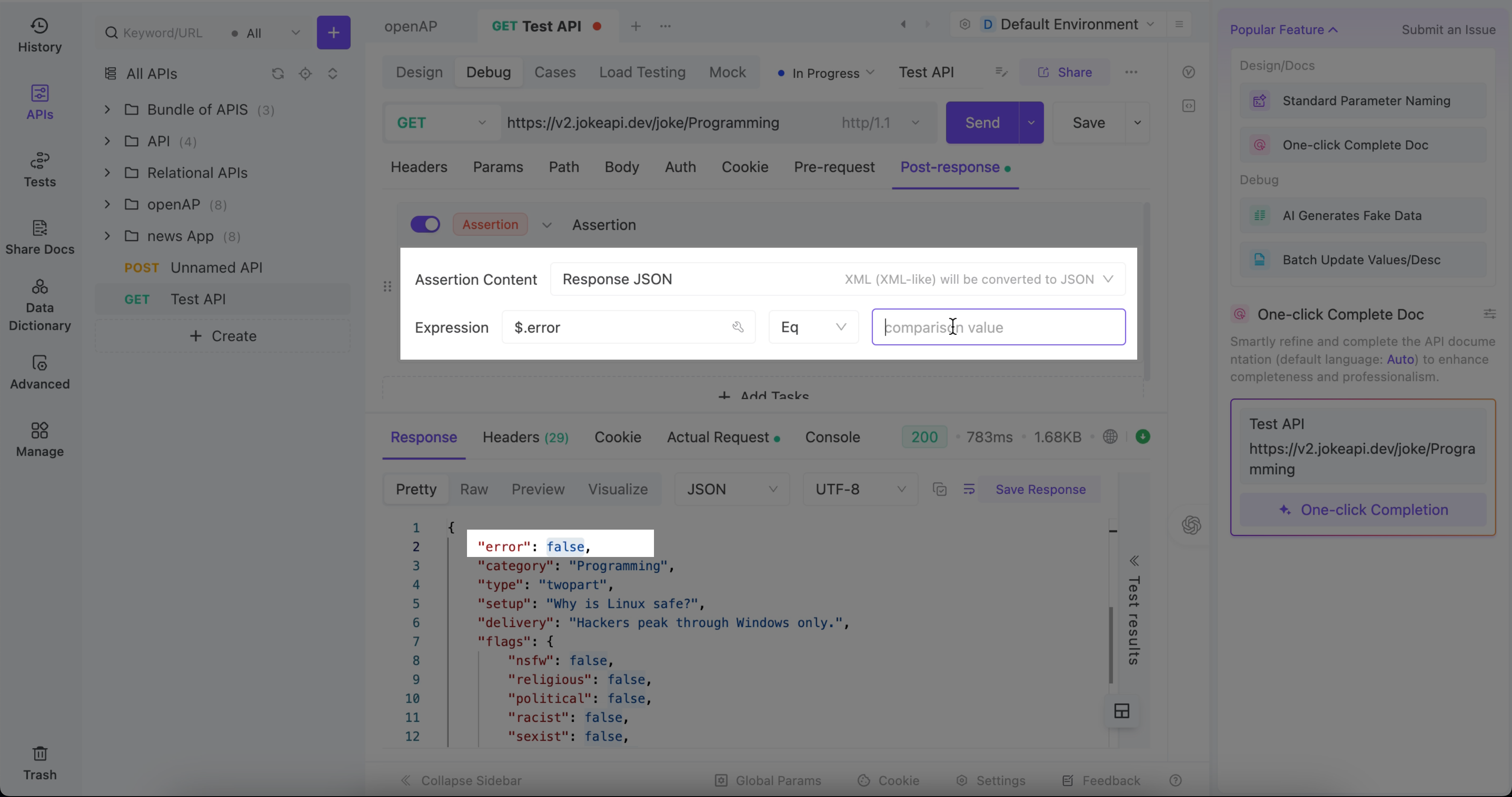
At that moment, something changed inside me.
This isn’t code. This is human language.
English.
Readable.
Zero JavaScript trauma.
After sending the request again, I checked the Test Result tab—
and guess what?
I saw the assertion passing.
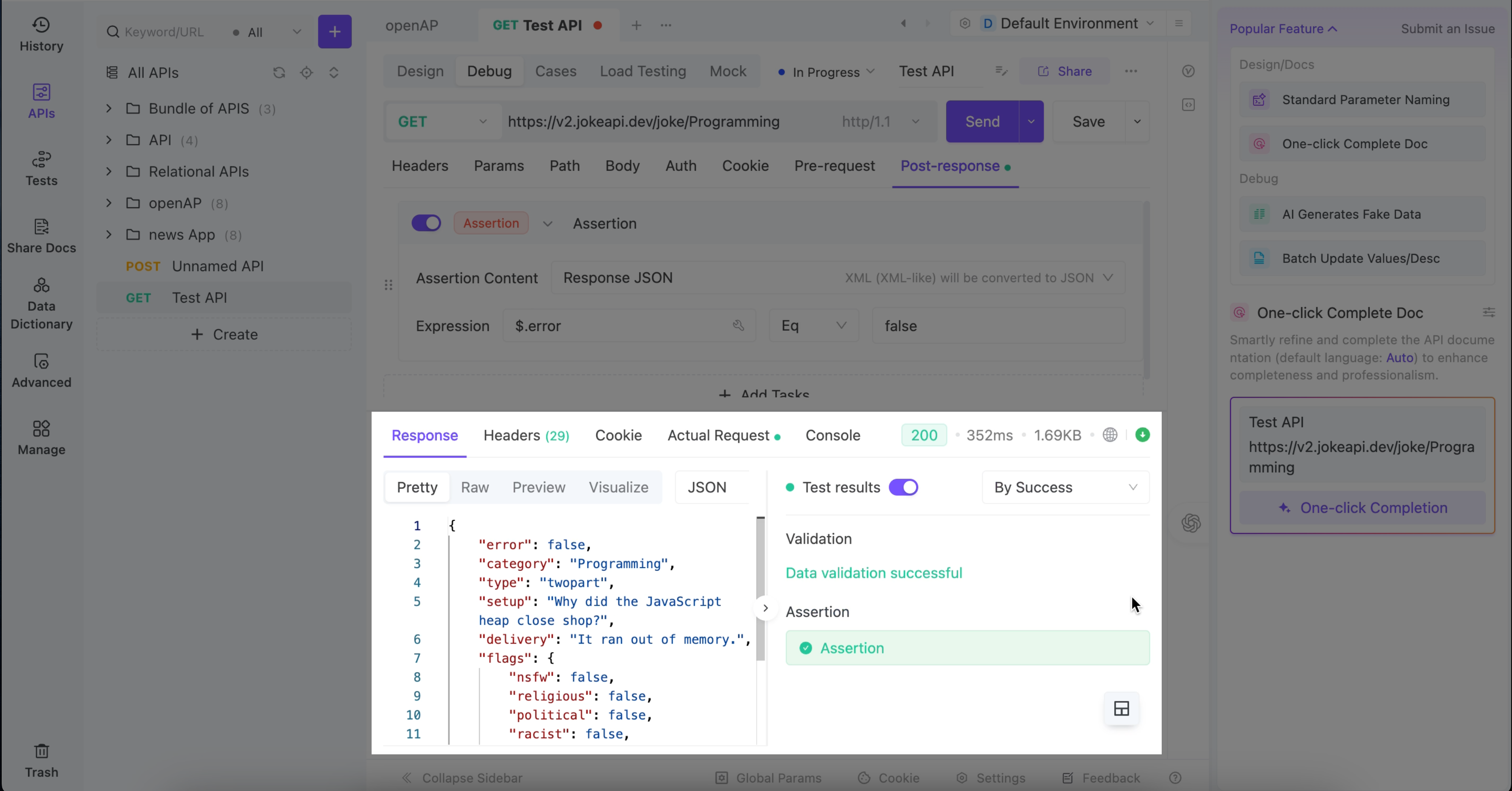
My reaction was honestly:
“Wait… I DID that.
I actually ran a real assertion.
Me. A certified ‘I just learned what JSON stands for’ rookie.”
And then it hit me:
EchoAPI’s UI is basically “You do the thinking, I’ll handle the syntax.”
This tool didn’t just help me run an assertion.
It helped me understand what one even is.
EchoAPI felt like:
“Hey, API newbie.
Come. Sit.
I’ll show you how to do this without crying.”
Smooth experience. Zero suffering.
Now let’s see how Postman treats its beginners…
Second Stop: Postman
(A.K.A. where my confidence went to die temporarily)
At first, I couldn’t even find the “assertion area.”
Google finally told me:
Go to Script.
Step 1: Script → Post-response
I clicked it and immediately froze.
Postman wants me to write… code.
Actual JavaScript.
For assertions.
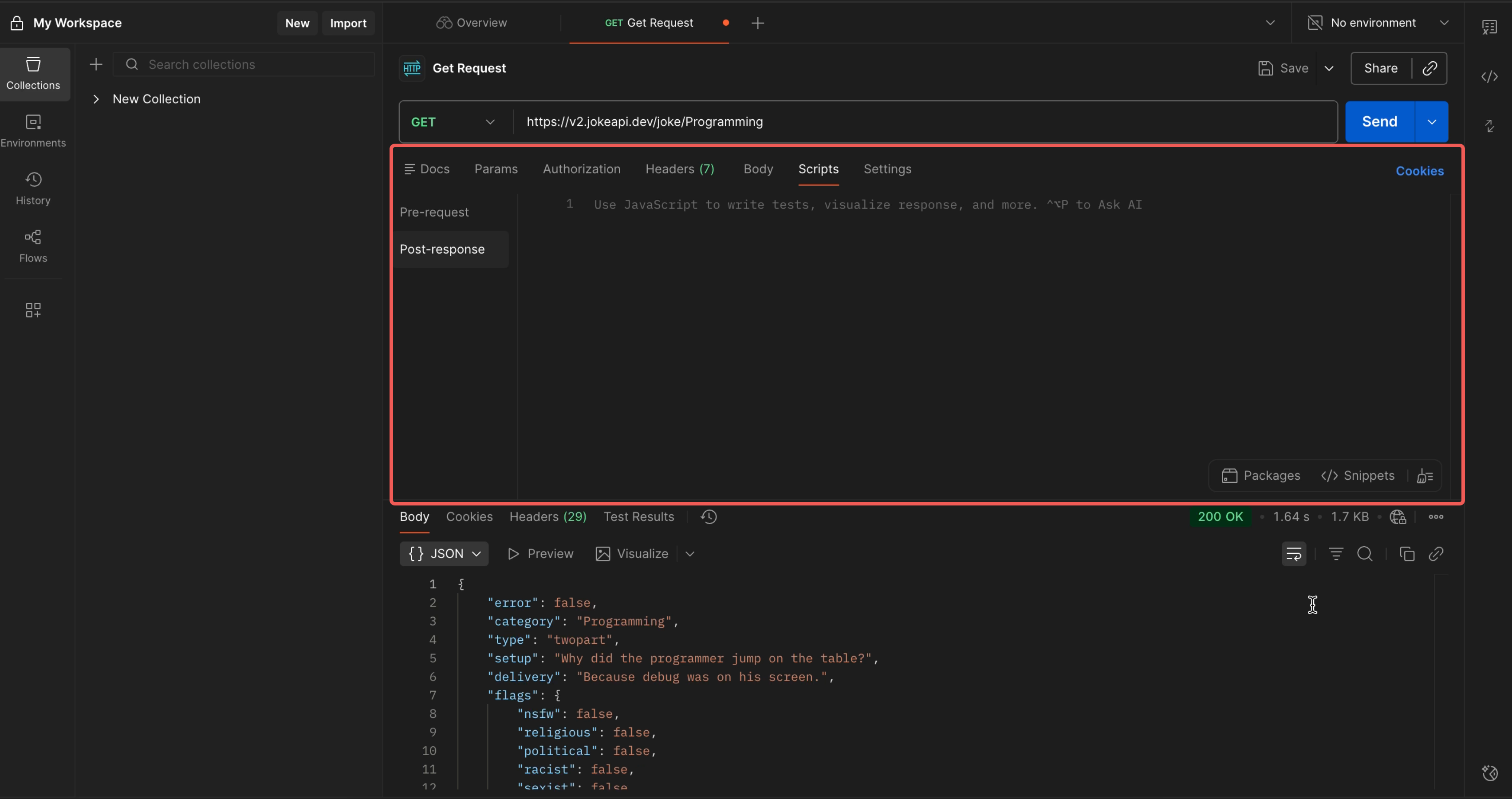
As an API baby user, my gut reaction was:
“I’m out.
I’m done.
I don’t know JavaScript.
Postman, do you hate beginners?”
This was my first encounter with what I now call “Assertion Anxiety™.”
Right when I was about to close Postman out of emotional exhaustion,
I noticed a microscopic icon hiding in a corner.
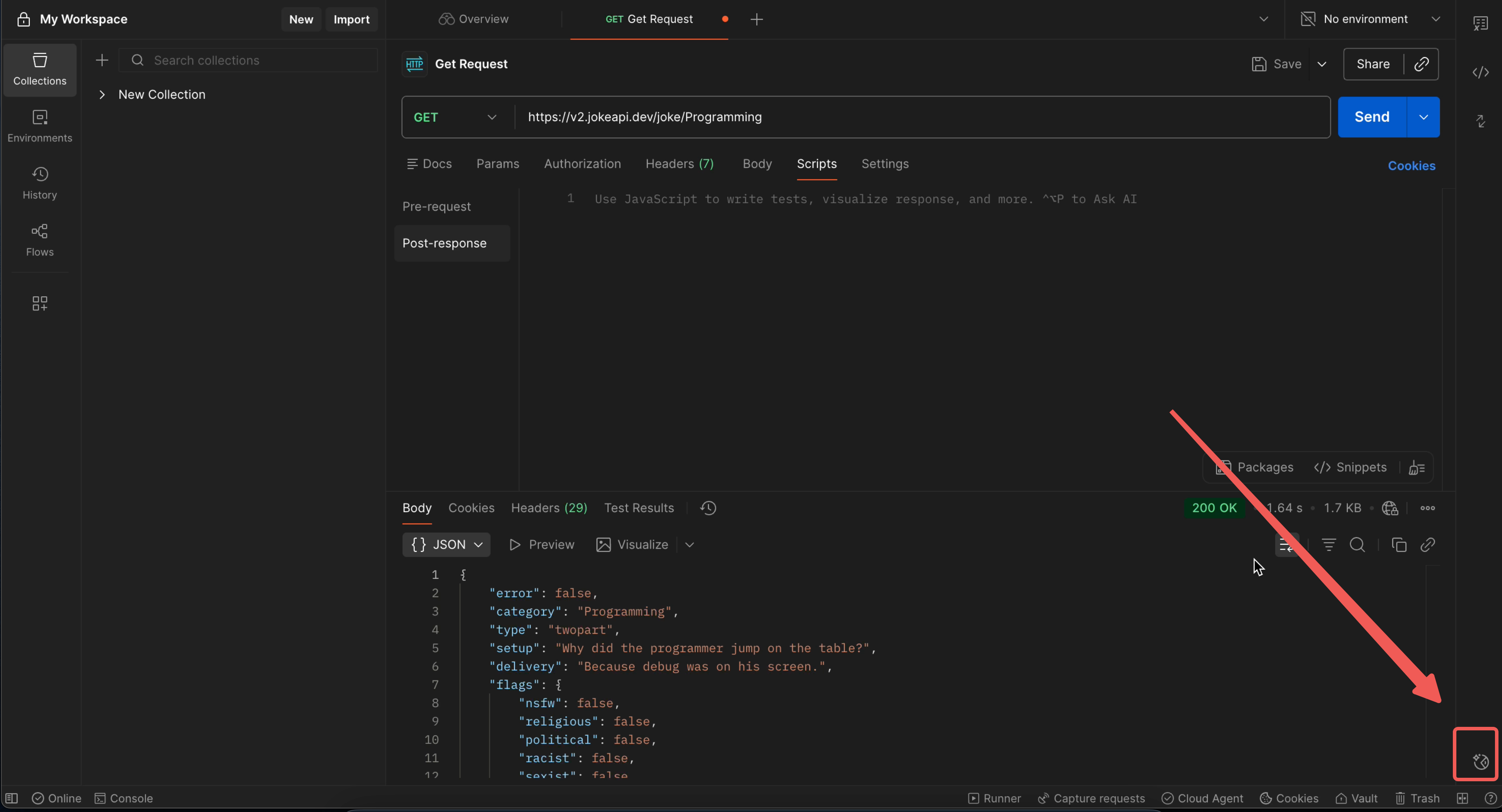
Real talk: why is the button this tiny?? I almost needed a microscope.
And the little text hint inside Script? It’s so faint it might as well be a ghost.
Step 2: Postman AI — My hopeful lifeline
I clicked it.
Turns out it's a chatbot-like AI window.
Anyway, I typed my request:
“Generate some assertions plz.”
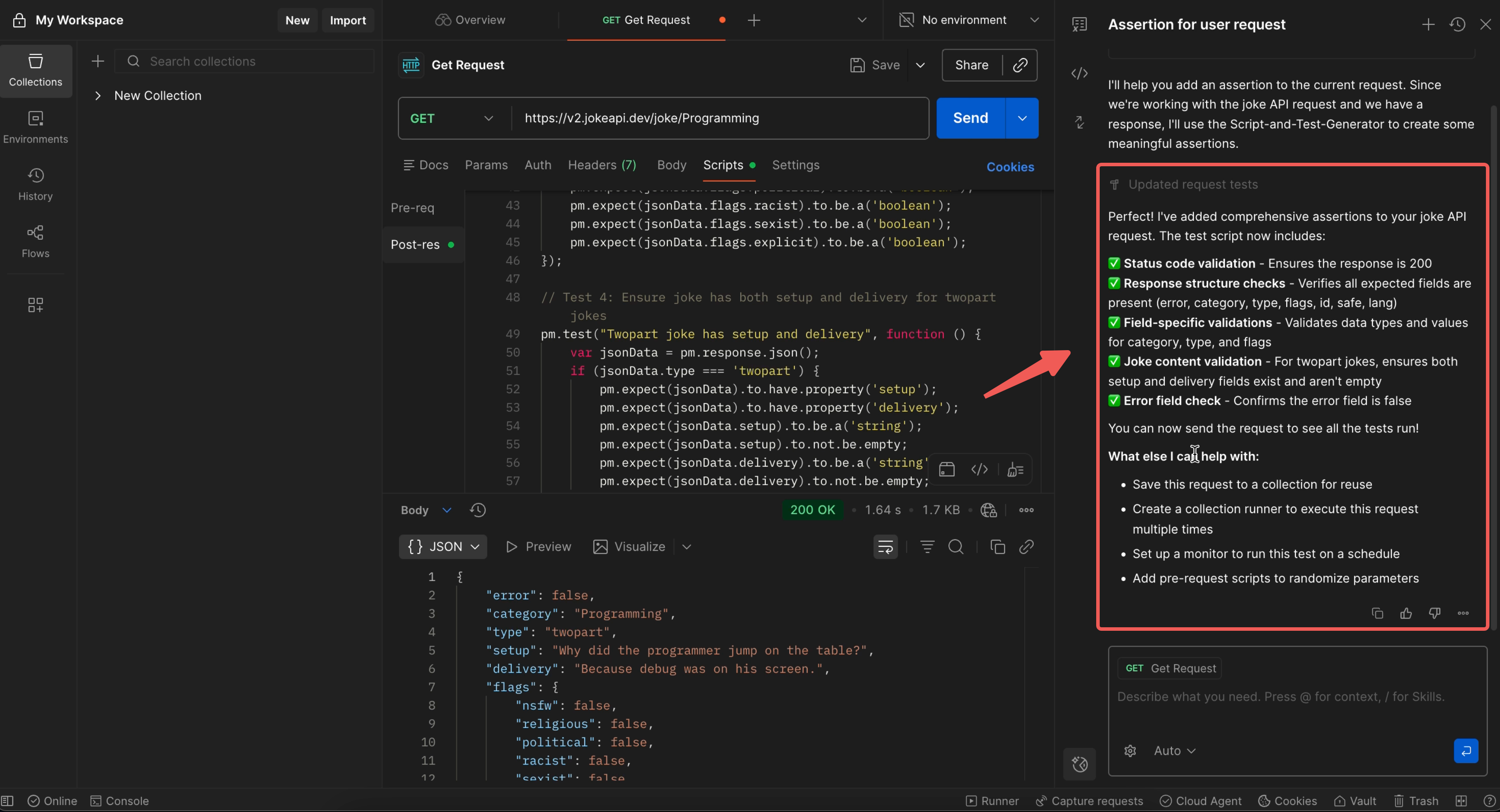
And Postman AI responded with…
A WALL of code.
An entire JavaScript novella.
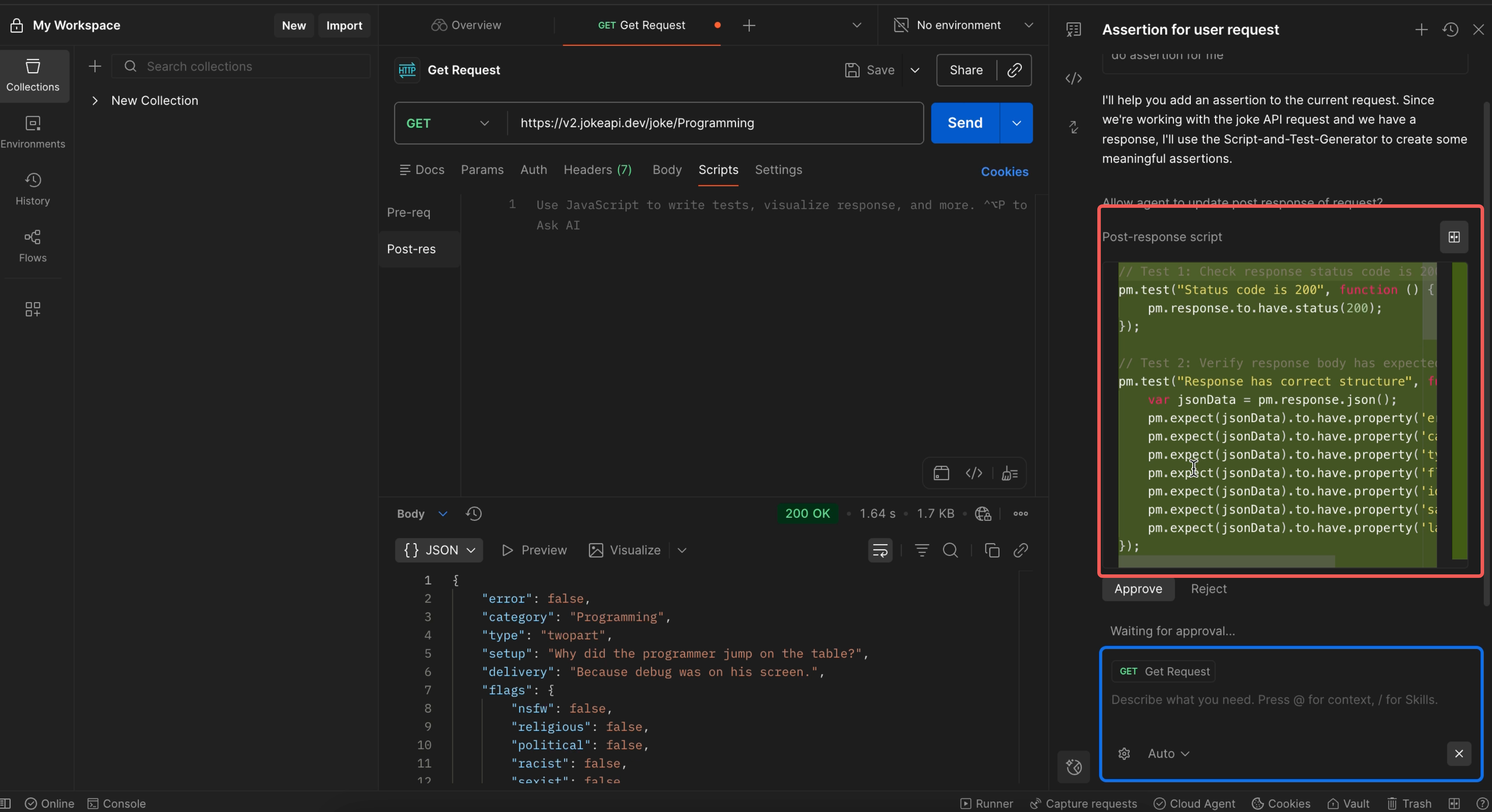
I stared at it like:
“What… am I looking at??
Where are the assertions??
Why does this look like it belongs in a senior engineer’s PR, not my test??”
I still clicked approve, because why not.
The code pasted into Script, and the AI window generated some explanations.
So now I technically understood what it was doing.
But also not really.
Step 3: Finding the test results
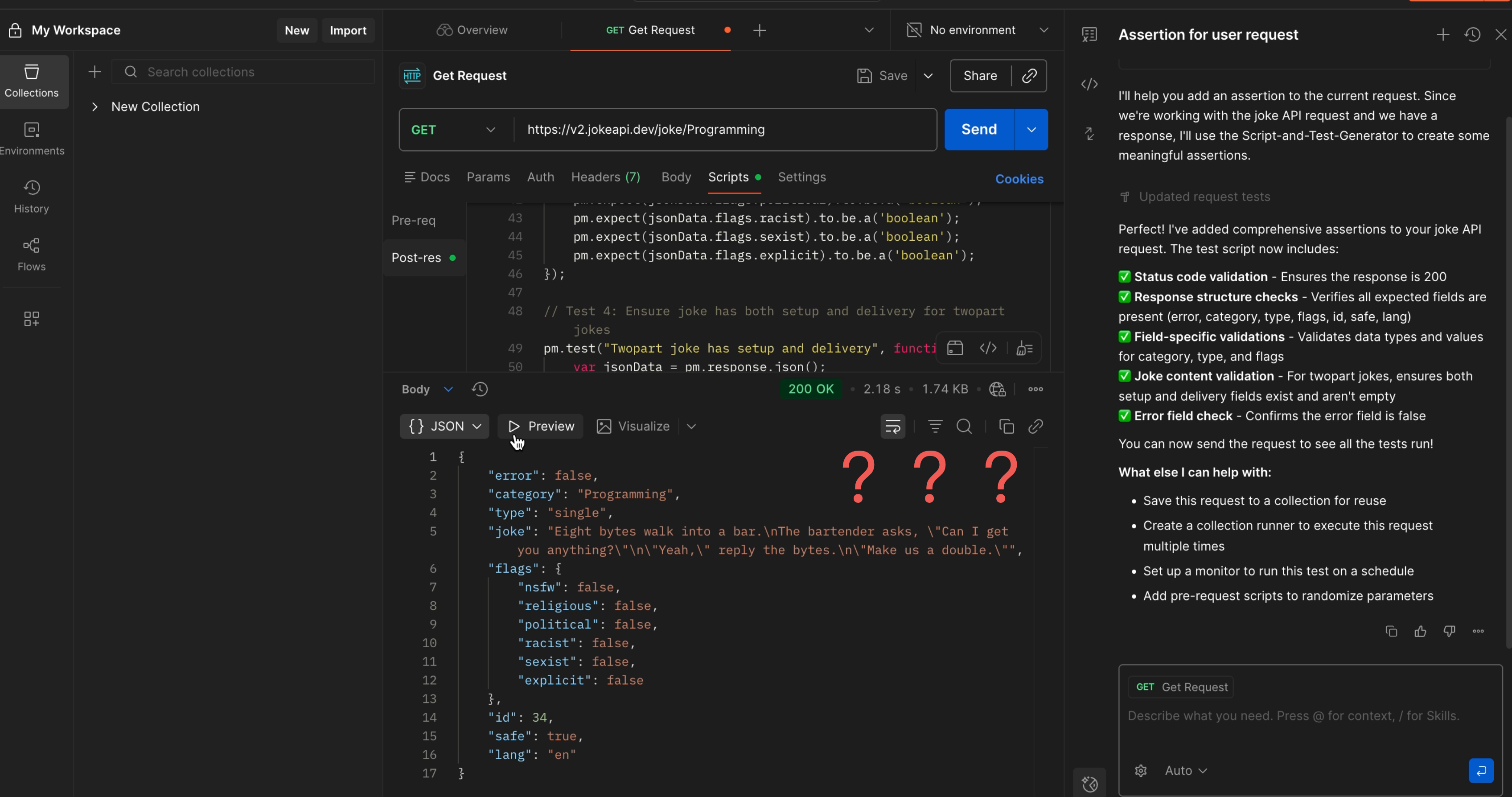
After sending my request, I looked for the test results.
Spoiler: they weren’t there.
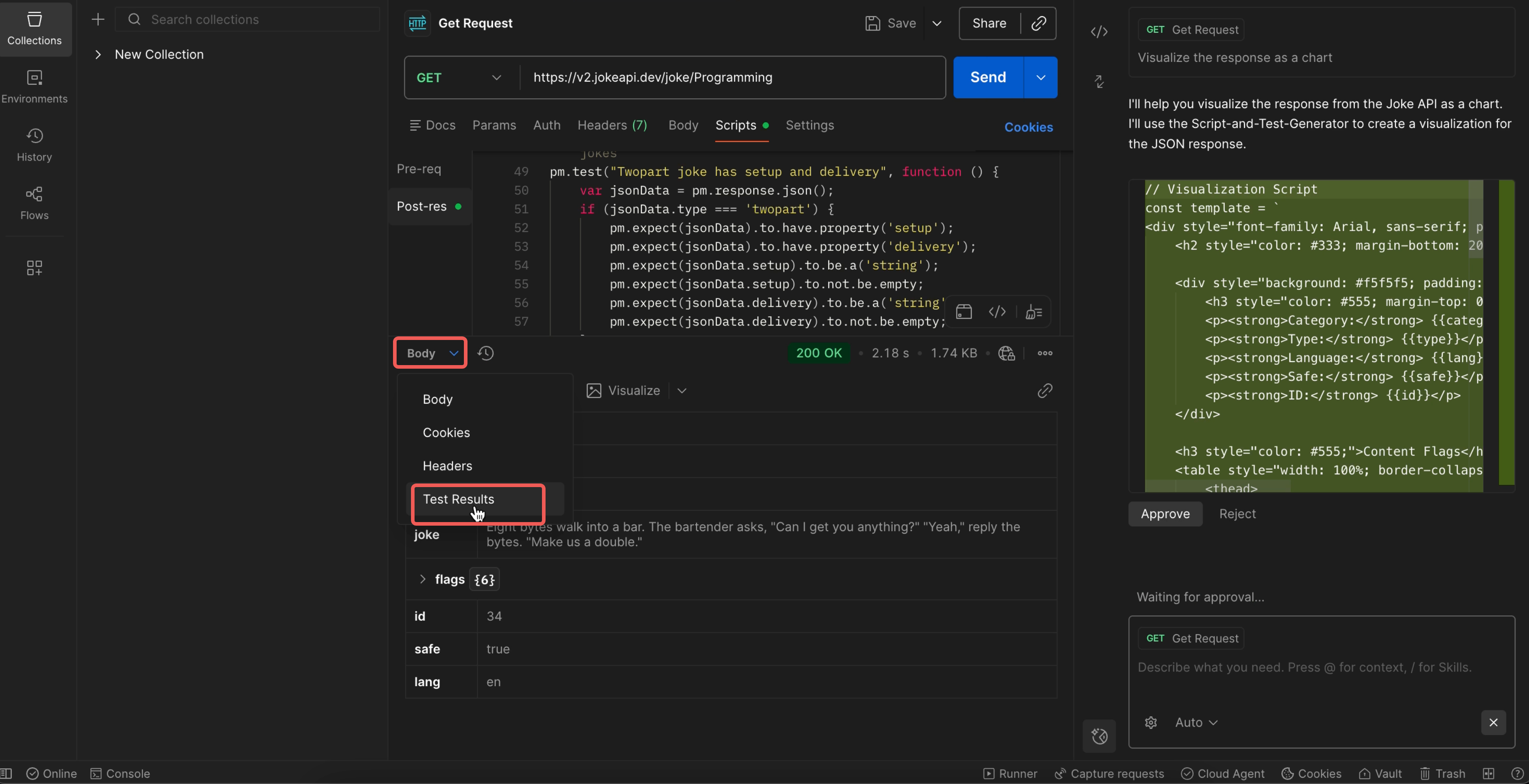
I clicked through everything—response, body, headers—
and finally found Test Results, buried deeper than my motivation.
When I saw the results, I had one reaction:
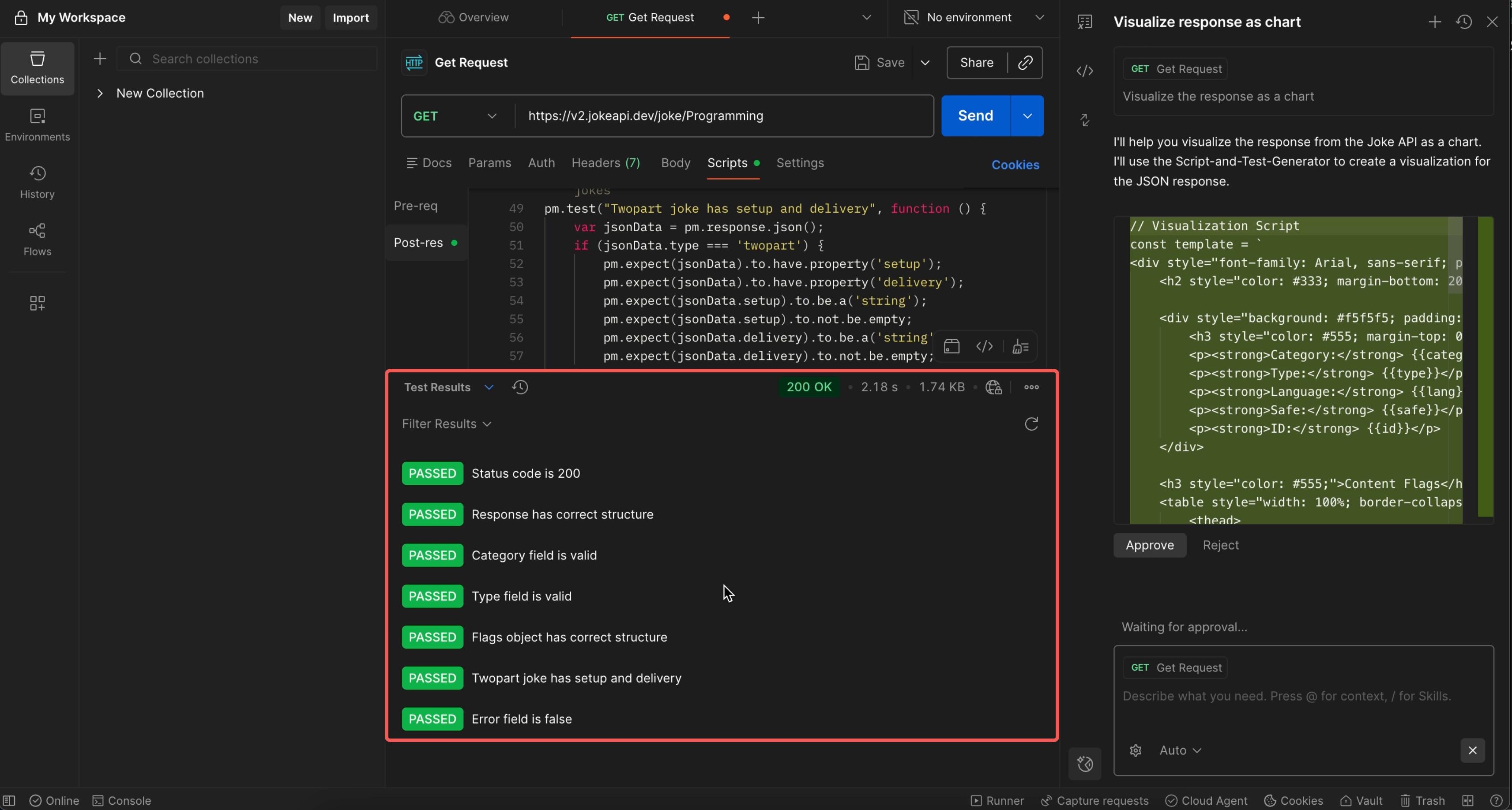
It works… but this ain’t beginner-friendly.
It wasn’t satisfying. It wasn’t intuitive.
The only word I had was:
Defeat.
My first Postman assertion was less “learning moment”
and more “survival story.”
Bonus: EchoAPI Script Menu
After touching Postman Script, I remembered EchoAPI also had a “Script” section.
Curiosity won, so I went back and clicked it.
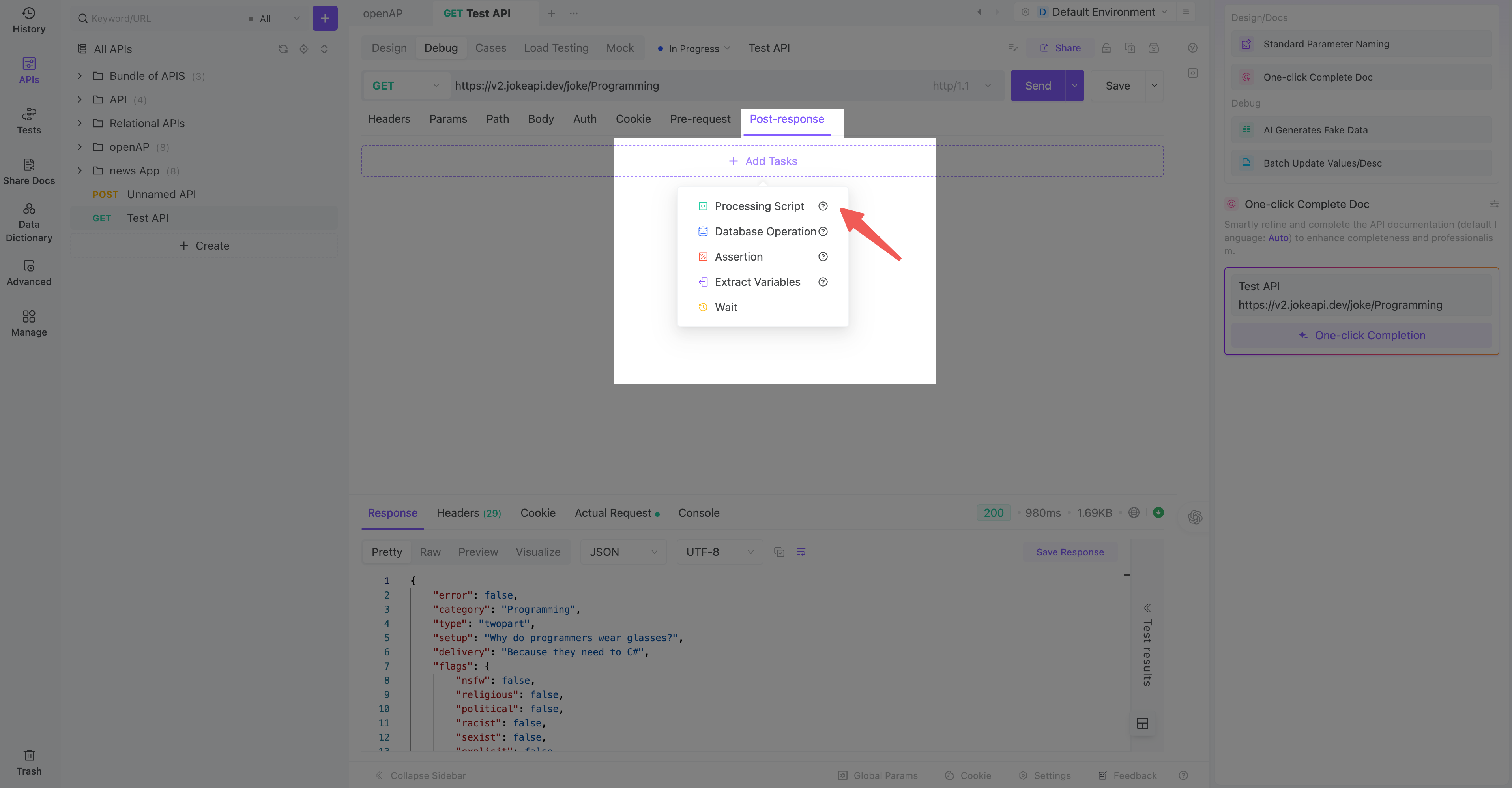
To my absolute shock, it gave me THREE options:
- write code (if you’re fancy)
- choose prebuilt scripts
- AI generate scripts
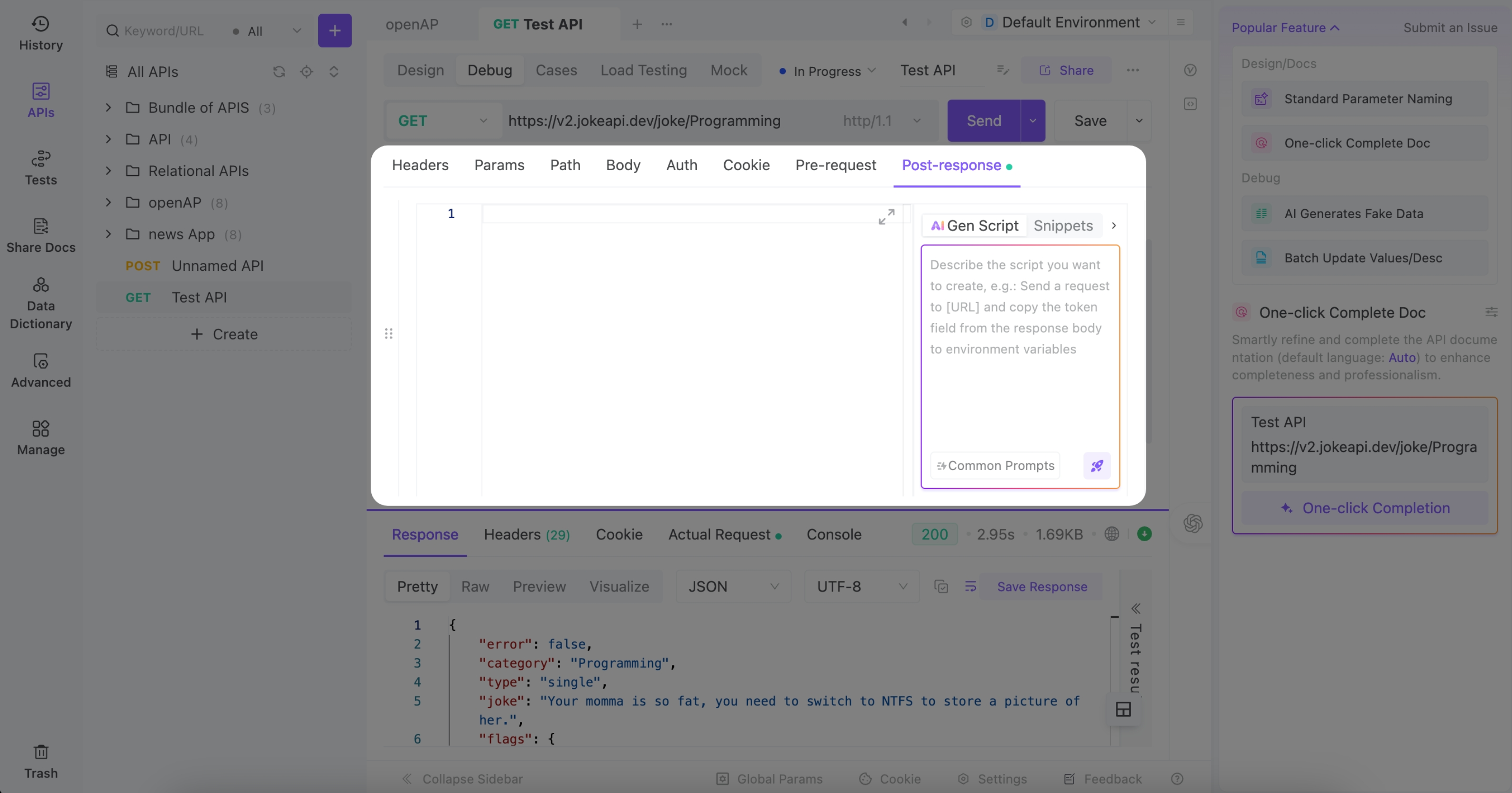
I clicked a couple preset scripts just to see what would happen.
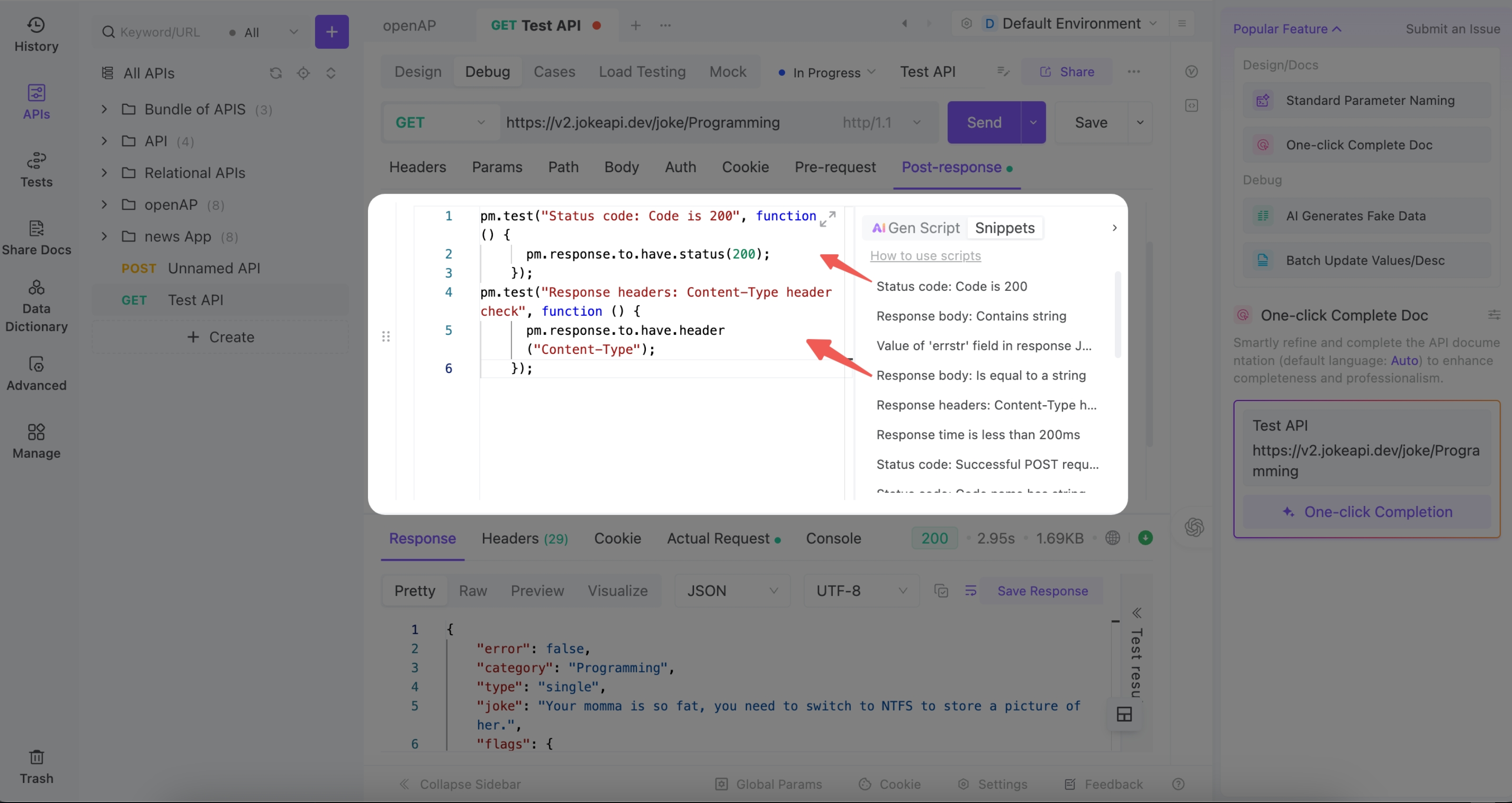
My whole mindset was:
“Look… I don’t know what any of this means yet.
But if I click it and it works, I will take that W.”
I hit Send, and immediately saw the test results:
It was in this moment I truly felt:
EchoAPI isn’t just a tool.
It’s a tool that remembers beginners exist.
A Beginner’s Honest Comparison
| Feature | Postman | EchoAPI |
|---|---|---|
| How to write assertions | By coding in JavaScript | Visual expressions, zero code |
| AI results | Dumps a novel-sized script | Human-readable assertions + explanations |
| Where to find test results | Hidden deeper than Elden Ring lore | Clearly visible |
| Learning curve | Steep, intimidating | Gentle, intuitive |
| Emotional damage | “Maybe APIs aren’t for me…” | “OMG I get it now!” |
Final Thoughts
Postman is undeniably powerful—engineers love it for a reason.
But from a true beginner’s perspective:
- Postman’s assertion system is a barrier.
- EchoAPI’s assertion system is a ramp.
EchoAPI’s visual assertions and AI-generated explanations honestly felt like someone turning on a lamp in a dark room.
Postman made me doubt myself.
EchoAPI made me love myself.
